Your contact form asks for a name, an email, and a message. That’s fine for “can you send me your rates.” It’s not fine for “I’d like to hire you,” because now someone on your team has to email back with the six questions the form should have asked in the first place, and the prospect has to wait for that email before anything moves.
A client intake form is a form a prospective client fills out before you work together, collecting who they are, what they need, and the details you use to decide whether and how to take them on.
In this post we’ll look at which questions do that work, which ones to leave off, and how to build an intake form in WordPress that gets each inquiry to the right person and records what happens next, using a template included with Gravity Forms.
The questions that do the work
A good intake form asks for enough to assess fit without a phone call, and nothing that can wait until after you’ve said yes. For most service businesses, that comes down to a short set:
- Contact details: Name, email, phone, and the company name if you work with businesses.
- The service they want: A fixed dropdown of what you offer, not a text box. This is the answer that decides who the inquiry goes to.
- Two or three screening questions: The questions that separate a strong fit from a poor one. These will differ depending on your business and clients. An accountant might ask about business type and turnover, and a web designer might ask whether there’s an existing site to work with.
- Budget or engagement size: A dropdown with ranges. Prospects answer this more readily than businesses expect, and it saves both sides a consultation that was never going anywhere.
- Start date: Urgency changes who handles the inquiry and how fast.
- How they found you: One question, and you’ll know which marketing is paying for itself.
- Anything else: A short paragraph field for whatever your questions didn’t cover.
Conditional logic keeps the form short for everyone. A screening question only appears when it applies to the service the prospect has chosen, so the web designer’s question about an existing site never shows up for someone asking about branding. Each prospect sees only the questions relevant to their inquiry, even if the form itself covers a lot.
Anything you’d need only after the prospect becomes a client can wait. Full address, billing details, signed agreements, detailed background, and long history sections all belong in onboarding, not intake. Every one of them lowers the number of people who finish the form, and none of them helps you decide.
Start with an intake form template
Gravity Forms includes a template library with every license, in the form editor under Add New.
The closest starting point for client intake is the Project Inquiry Form, which already has contact details, a service dropdown, budget and timeline ranges, a description field, a file upload, and a “how did you find us” question. Rename the services, swap in your own screening questions, and delete what doesn’t apply.
Building your client intake form in WordPress: five steps
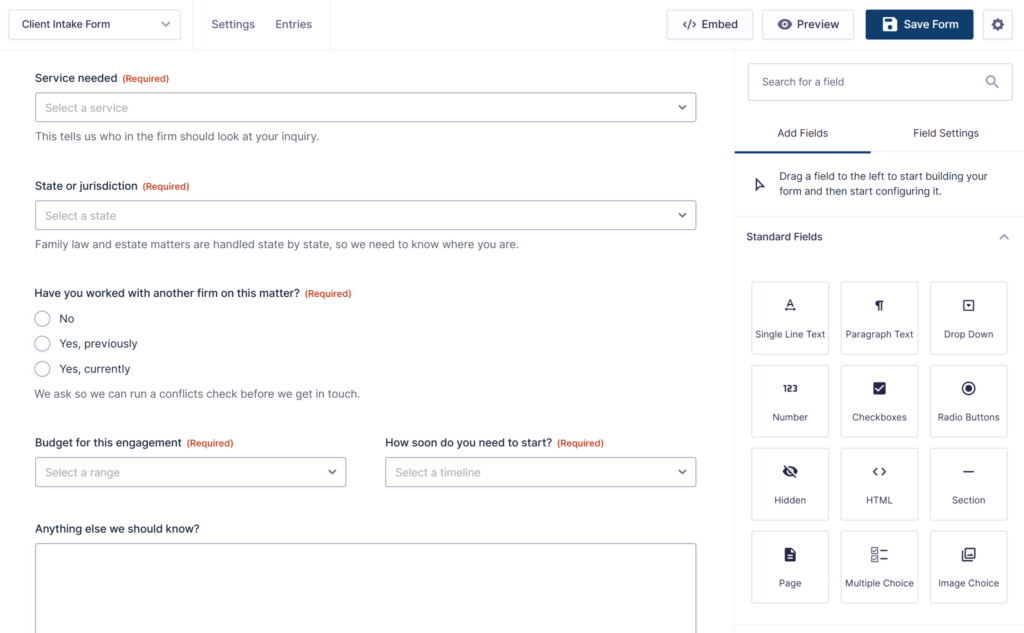
Here’s the short version. Each step takes a few minutes, and the documentation has the detail if you want it.
- Open the template: In your WordPress dashboard, go to Forms, click Add New, and choose the Project Inquiry Form template.
- Make the questions yours: Set the services dropdown to your own list, add your screening questions, and set the budget and timeline ranges.
- Add conditional logic: Show each screening question only for the services where it applies.
- Set up notifications and the confirmation: Notifications are the emails that go out when an inquiry arrives, to your team and to the prospect. The confirmation is the message the prospect sees on the page after they submit. Both can be customized and are in the form settings.
- Add the form to a page: Drop your form in the Gravity Forms block, publish the page, and you’re taking inquiries.
From inquiry to decision
Once the form is live, the real work is in what happens after someone submits it. Each of the steps below can happen without anyone watching an inbox.
The inquiry goes to the right person
A notification email is sent based on the service the prospect selected, so a branding inquiry lands with the creative director rather than in a shared inbox. Nobody has to forward anything.
It gets reviewed and decided
Someone still has to decide whether to take the client on, and that decision should be recorded somewhere everyone can see it.
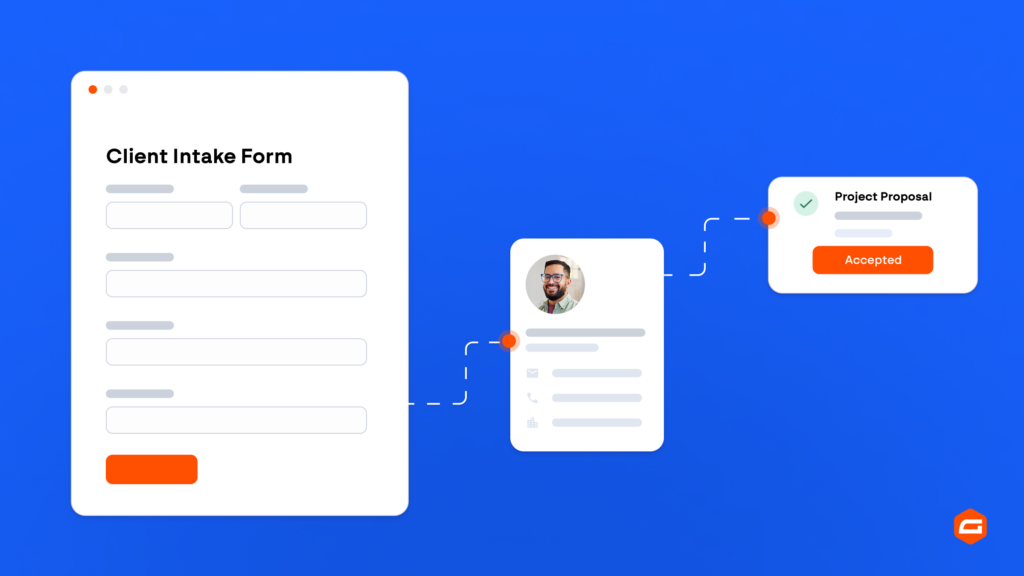
Gravity Flow turns each inquiry into a workflow. A reviewer looks at the inquiry and records their recommendation on the entry, then the decision goes to whoever makes that call as a formal approve or decline, which they can do from a link in the notification email. Accepted clients are assigned to a team member, declined ones get a prompt and polite reply, and the entry keeps a timeline of who did what and when. If decisions tend to sit, a step can escalate after a set number of days.
Gravity Flow is a premium workflow automation add-on that works with Gravity Forms, brought to you by the Gravity team. Learn more about Gravity Flow, or see the full build in how to build a client intake form that routes and assigns automatically.
The prospect hears back
The acknowledgment email is the first thing a prospect gets from you, and if it lands in spam they assume you never got their inquiry.
WordPress on its own isn’t reliable at sending email, so Gravity SMTP routes your site’s email through a proper email service and keeps a log of every message. When a prospect says they never heard from you, you can check in seconds. Gravity SMTP is included with Elite, Nonprofit, and Developer licenses.
The contact is kept
Every inquiry is a contact, whether or not it becomes a client. Add-Ons for HubSpot, Mailchimp, and other tools add each prospect to your CRM or list automatically, tagged by the service they asked about, so you can stay in touch with the ones you declined and the ones you accepted don’t need retyping.
Frequently asked questions
How do I stop spam inquiries coming through the form? Add spam protection to the form. Gravity Forms supports reCAPTCHA and Cloudflare Turnstile, and the AbuseIPDB Add-On blocks submissions from known bad IP addresses before they reach your team.
Can prospects attach documents to their intake form? Yes. Add a File Upload field for briefs, contracts, or existing paperwork. If you want uploads to land in a shared folder rather than your WordPress media library, the Dropbox Add-On sends them there automatically.
Can I make an intake form in Google Forms? You can, for a simple one. Google Forms can’t route the inquiry to a specific person based on the answers, record a decision against it, or send a reliable acknowledgment, so most businesses move to a form on their own website once inquiries pick up.
Stop qualifying by email
Ask the right questions on the form and most of the qualifying is done by the time someone reads the submission. Add the routing, the review, and an acknowledgment that arrives, all on the WordPress site you already run, and strong leads stop waiting for someone to check the inbox.
Get started with Gravity Forms

Newsletter
Keep up to date with what’s happening at Gravity – sign up for the newsletter!